
RC500 Overview
The RC500 is an industrial edge router for mobile and remote deployments where cellular connectivity, local networking, and remote management are all required.
Key Capabilities
Section titled “Key Capabilities”- WAN failover between Ethernet WAN and cellular, so a site stays online if one path drops
- Dual-band WiFi on 2.4 GHz and 5 GHz radios
- Cellular connectivity with dual SIM support
- VPN services including WireGuard and IPsec
- GPS stream service that can forward live location to a collector
- Cloud management for monitoring, guided configuration jobs, and approved firmware updates when the router is online
Use Cases
Section titled “Use Cases”| Use Case | Description |
|---|---|
| Fleet vehicles | Managed connectivity for mobile fleets |
| Remote sites | Cellular backup or primary connectivity for fixed installations |
| Temporary sites | Deployable WiFi, LAN, and VPN connectivity |
| Retail / POS | Managed broadband with cellular backup |
Connectivity
Section titled “Connectivity”| Interface | Details |
|---|---|
| Cellular | Dual-SIM cellular modem |
| Ethernet WAN | Dedicated WAN interface |
| Ethernet LAN / LAN-WAN | Local LAN ports with configurable roles, guest VLAN assignment, and a flexible LAN/WAN path when enabled |
| WiFi 2.4 GHz | Built-in access-point radio |
| WiFi 5 GHz | Built-in access-point radio |
| GPS / GNSS | Built-in location source for the GPS stream service; no dedicated external GPS antenna connector |
| USB | Host port for accessories |
Management options
Section titled “Management options”Most deployments use both management surfaces, but they are built for different moments:
| Surface | Best for | Boundary |
|---|---|---|
| Cloud portal | Monitoring, jobs, reports, users, guided Router Settings, rollouts, and approved cloud firmware updates from cloud.telisky.com. | Requires the router to be online; arbitrary firmware URL updates and some low-level diagnostics are support/API workflows, not general cloud forms. |
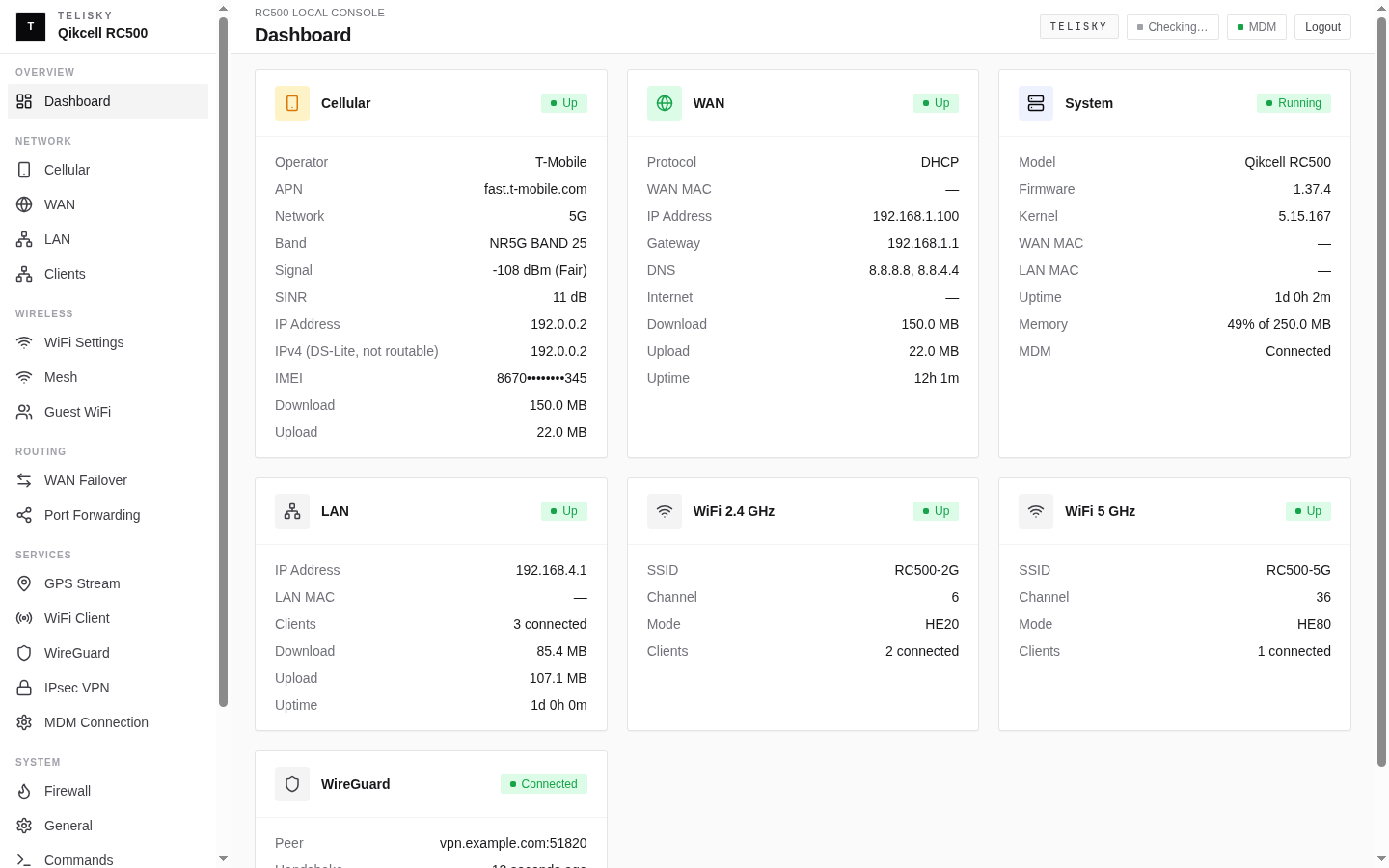
| Local Web UI | On-site setup, recovery, WAN/cellular/DNS checks, local firmware file or URL updates, and direct changes at http://192.168.4.1. | Manages only the router in front of you; it does not manage cloud users, reports, or fleet rollouts. |
See Cloud Portal vs Local Web UI to decide where to make each change, Router Settings for cloud-managed settings, and the Local Web UI tour for on-device pages.