Reports
The Reports page builds fleet reports for a selected organization and time window. Use it when you need a shareable summary of device health, connectivity, jobs, alerts, firmware, or recurring operational status.
Configure the report
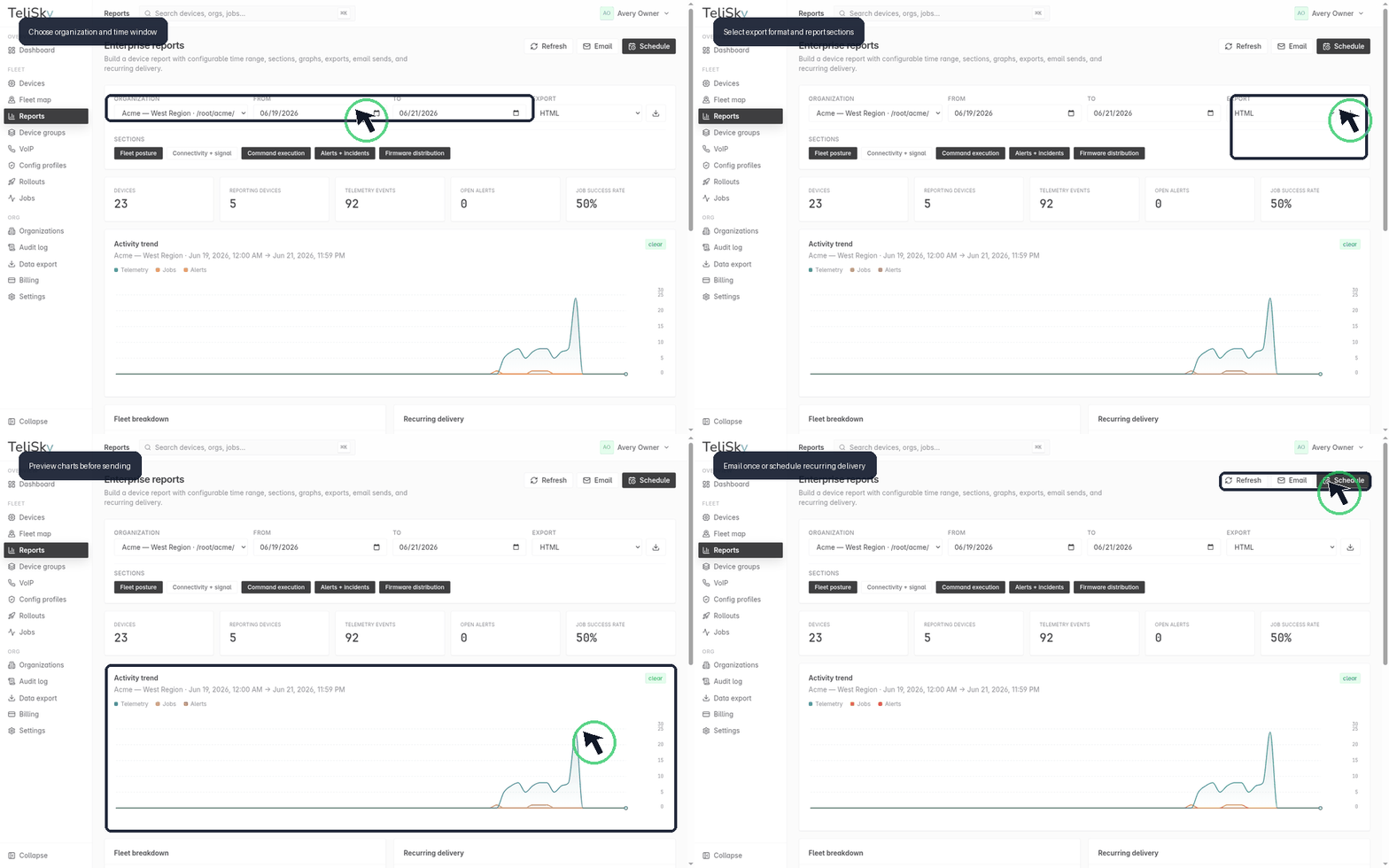
Section titled “Configure the report”- Choose the organization you want to report on.
- Set the from and to dates.
- Pick an export format: HTML, CSV, or JSON.
- Select the sections to include.
Report sections
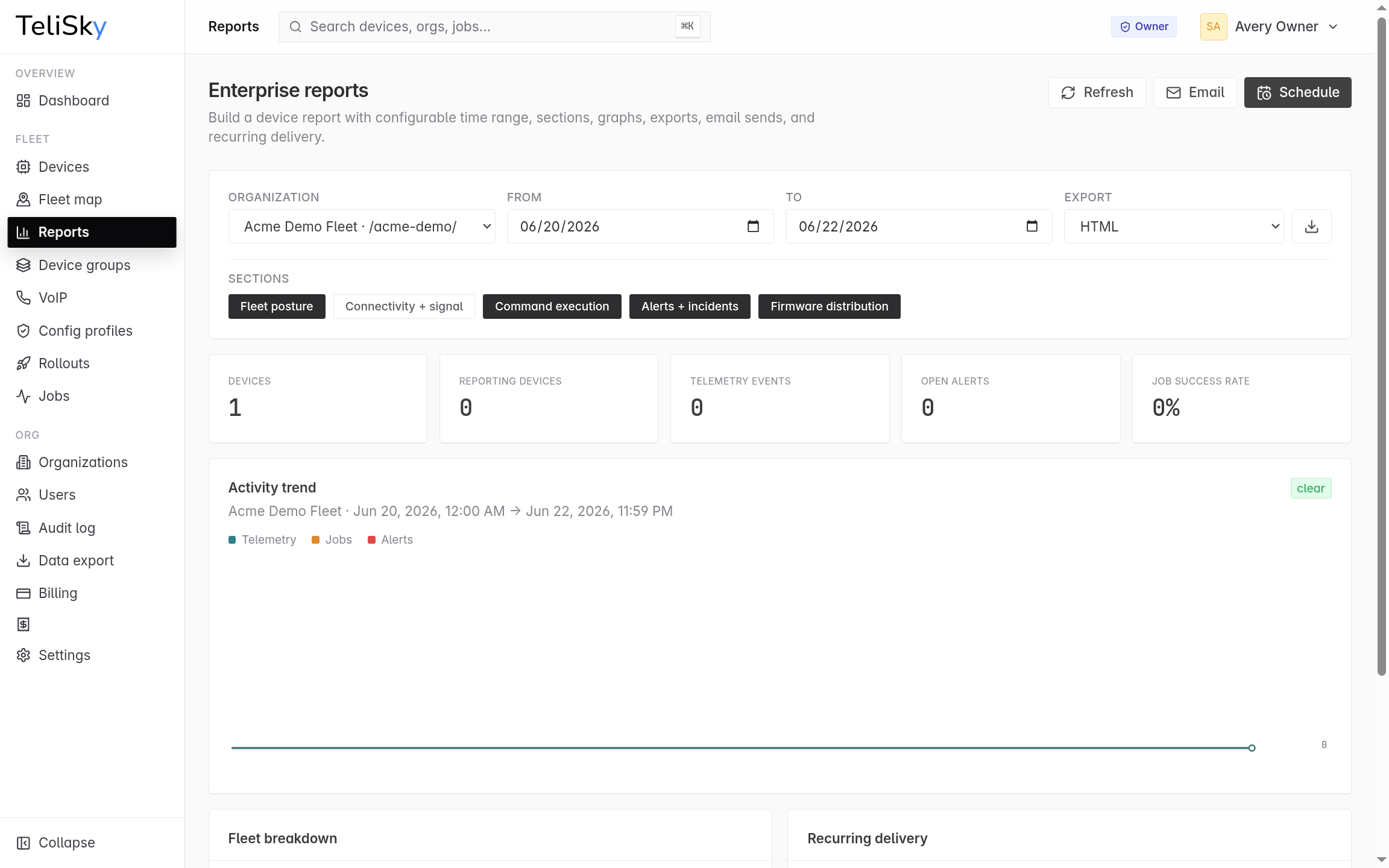
Section titled “Report sections”| Section | What it covers |
|---|---|
| Fleet posture | Device counts and current status breakdown |
| Connectivity + signal | Telemetry, signal quality, and connection trends |
| Command execution | Jobs sent to devices and their success rate |
| Alerts + incidents | Open alerts and incident-style issues |
| Firmware distribution | Firmware versions across the selected fleet |
Send or schedule
Section titled “Send or schedule”Use Email to send the current report once. Use Schedule when the same report should be sent every few days or weeks.