
VoIP
The VoIP page manages T80 analog voice adapters (ATAs) - the modules that connect ordinary phones to a voice service - along with their upstream routers, line status, and recent call activity.
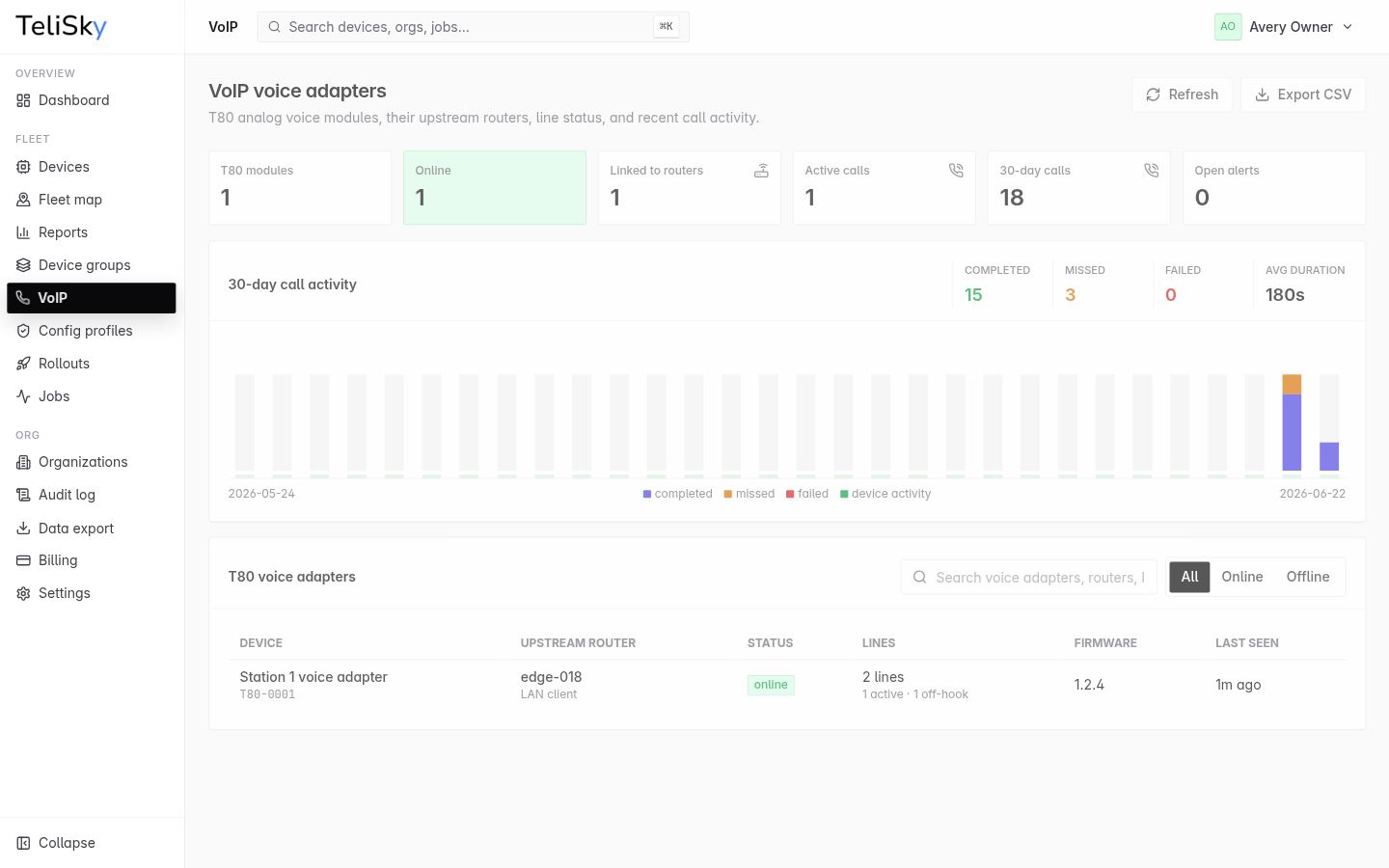
The VoIP fleet view
Section titled “The VoIP fleet view”The VoIP page summarizes your voice adapters:
- How many adapters you have, how many are online, and how many are linked to a router.
- Active calls now, and call totals over the last 30 days.
- Any open alerts on your adapters.
- A table of every adapter showing its name, upstream router, status, line activity, firmware, and last-seen time.
Adapter detail
Section titled “Adapter detail”Open an adapter to manage it:
| Section | What it shows |
|---|---|
| Health | Status, firmware, last seen, and uptime |
| Voice service | Whether the adapter is registered with its voice service and how many calls are active |
| Upstream router | The RC500 the adapter connects through |
| Lines | Each phone line’s label, number, and where calls are sent |
| Alerts | Any active issues on the adapter |
| Recent calls | A history of recent calls - direction, line, duration, and result |
Linking to a router
Section titled “Linking to a router”A voice adapter connects to the internet through an upstream RC500. The detail page shows the linked router, or lets you set it when it is not detected automatically.
If an adapter shows offline or its calls are failing, start with the upstream router’s connection - see Router offline or silent.