
Device Groups
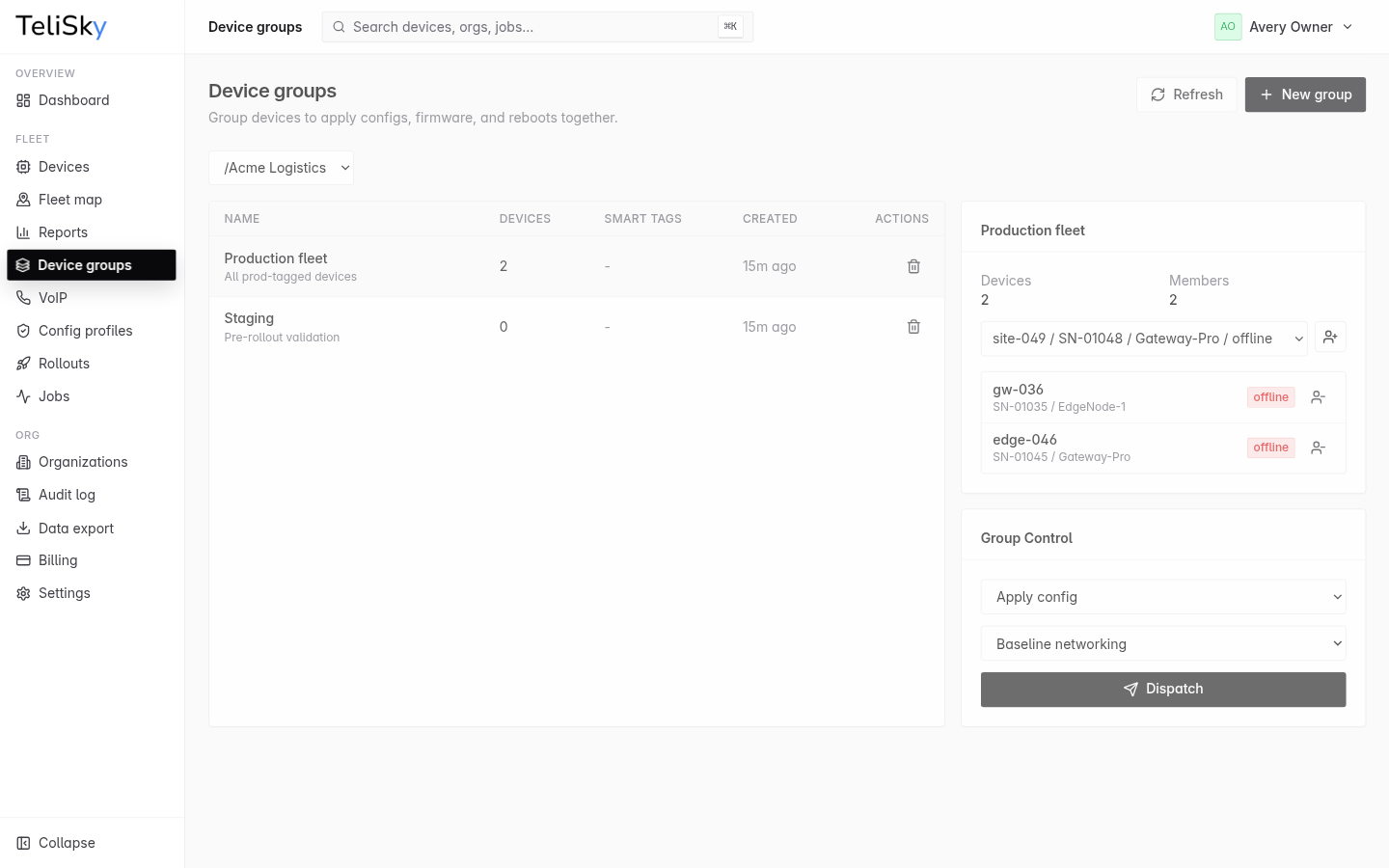
A group is a named set of devices you manage together. Groups let you apply the same action to many devices at once instead of selecting them one by one. Open Device Groups in the cloud portal.
Why use groups
Section titled “Why use groups”If you manage devices that share a purpose - the same site, customer, or role - a group lets you push a config, update firmware, or reboot all of them in a single action.
Create a group
Section titled “Create a group”- Open Device Groups and create a group with a name.
- Add devices as explicit members, or - on plans that support it - define smart tags so any device with matching tags joins automatically.
Explicit and smart members
Section titled “Explicit and smart members”- Explicit members are devices you add by hand.
- Smart-tag members are devices that match the group’s tags. As you tag and untag devices, smart groups update themselves.
The group’s effective members are the explicit members plus any devices that match its smart tags. The group view shows the effective member list and count.
Apply an action to a group
Section titled “Apply an action to a group”From a group you can dispatch an action to all of its effective members:
- Apply a config profile - push a saved configuration.
- Update firmware - send a firmware update.
- Reboot - restart every device in the group.
Each device gets its own job, so you can see exactly which devices succeeded and which need attention.