
Billing
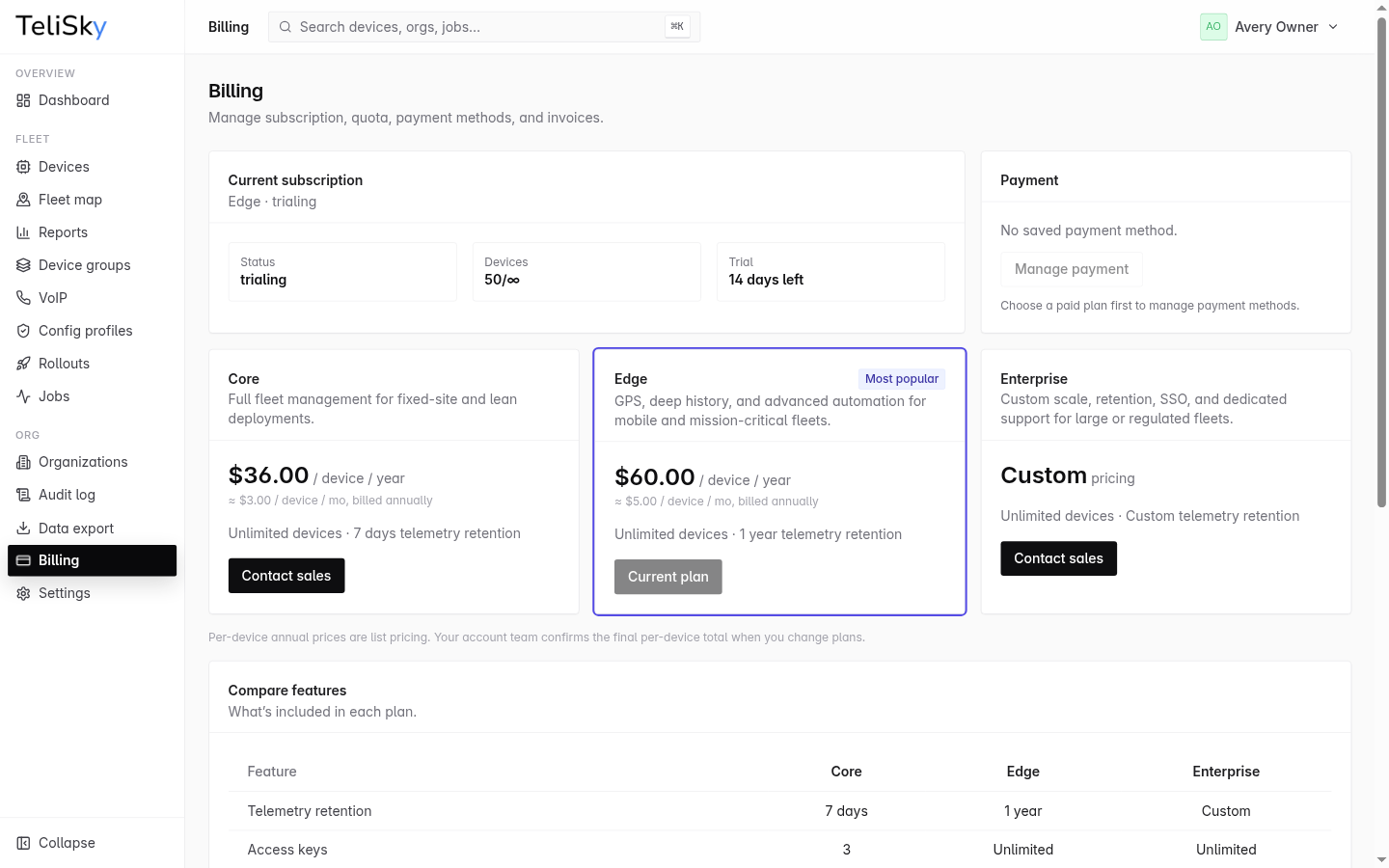
The Billing page is where you manage your subscription, plan, payment methods, and invoices. For a detailed breakdown of what each plan includes, see Compare plans.
Subscription status
Section titled “Subscription status”The page shows your current subscription state - for example trialing, active, past due, canceled, or read-only - along with your plan name. If you are on a trial, it shows how many days remain.
Device usage
Section titled “Device usage”The page shows how many devices your organization currently manages. All plans - Core, Edge, and Enterprise - include unlimited devices, so this is a usage metric, not a quota to manage against.
Payment methods
Section titled “Payment methods”Manage the cards on file, including which one is the default. Keep a valid payment method to avoid an interruption to your subscription.
Invoices
Section titled “Invoices”The page lists your invoices with their date, status, and amount, and lets you open each one.
Feature availability
Section titled “Feature availability”Some features are available only on specific plans. If a feature you expect is missing - for example the Fleet Map or staged rollouts - check your plan here, and see Compare plans for the full matrix.