
Data Export
The Data Export page lets you download retained telemetry from an organization or device. Use it when support asks for raw data, when you need an offline record, or when you want a spreadsheet-friendly archive for analysis.
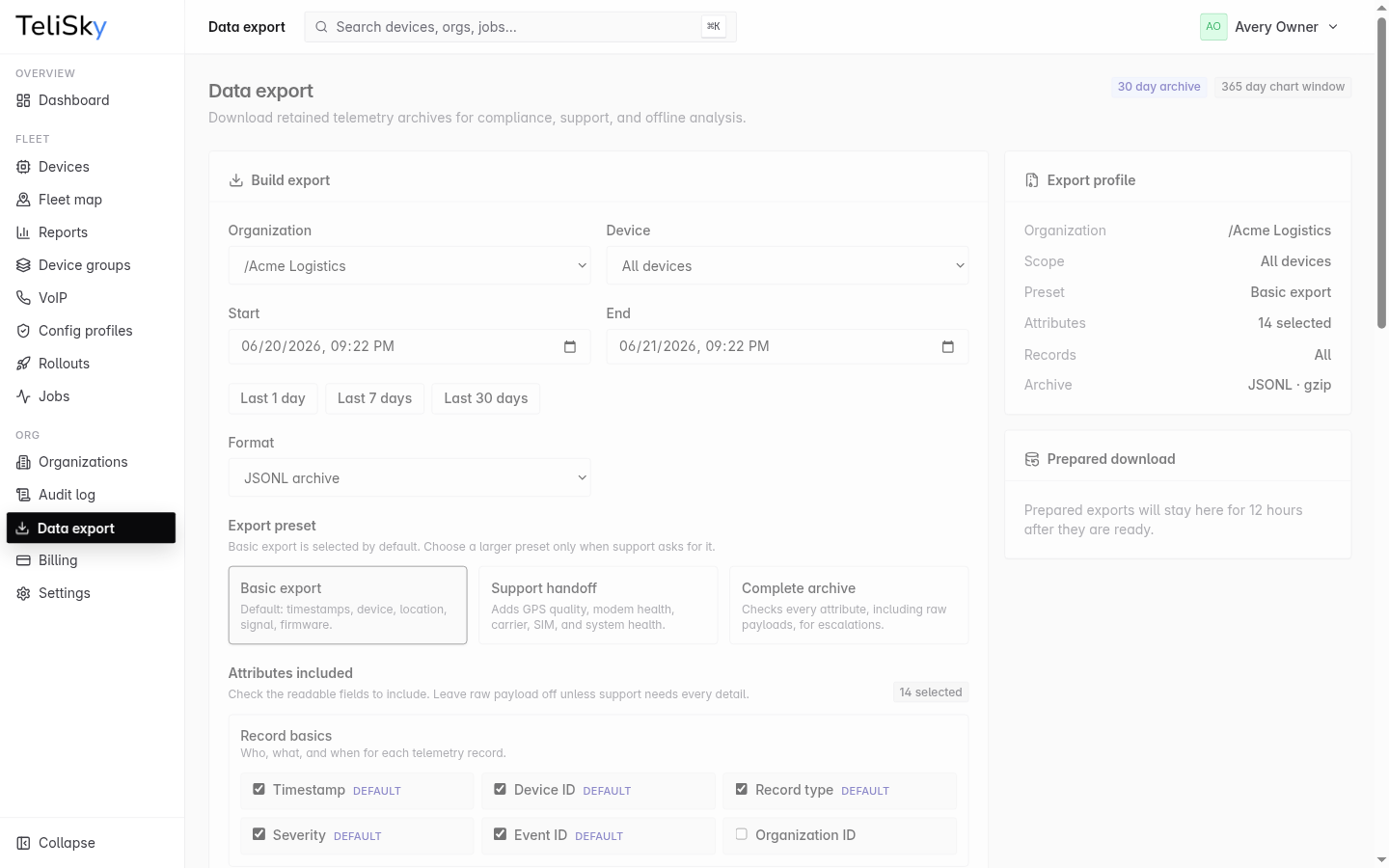
Build an export
Section titled “Build an export”- Choose the organization.
- Choose All devices or one device.
- Set the start and end dates, or use a quick range such as the last 7 or 30 days.
- Pick JSONL archive or CSV archive.
- Select a preset and confirm the fields included.
- Start the export and download it when it is ready.
Presets
Section titled “Presets”| Preset | Use it for |
|---|---|
| Basic export | Normal reviews: timestamps, device, location, signal, and firmware. |
| Support handoff | Troubleshooting with Telisky support: adds GPS quality, modem health, carrier, SIM, and system health. |
| Complete archive | Escalations where support needs every retained attribute, including raw payloads. |